Their Digital World. Your Peace of Mind.
Practical parental controls to help your family build safer, healthier digital habits.
ProtectKids pauses games and videos when the day's time is used, keeps bedtime quiet, and lets your child earn time back. If a setting it needs is switched off, you'll see it.
Join the beta (Android first)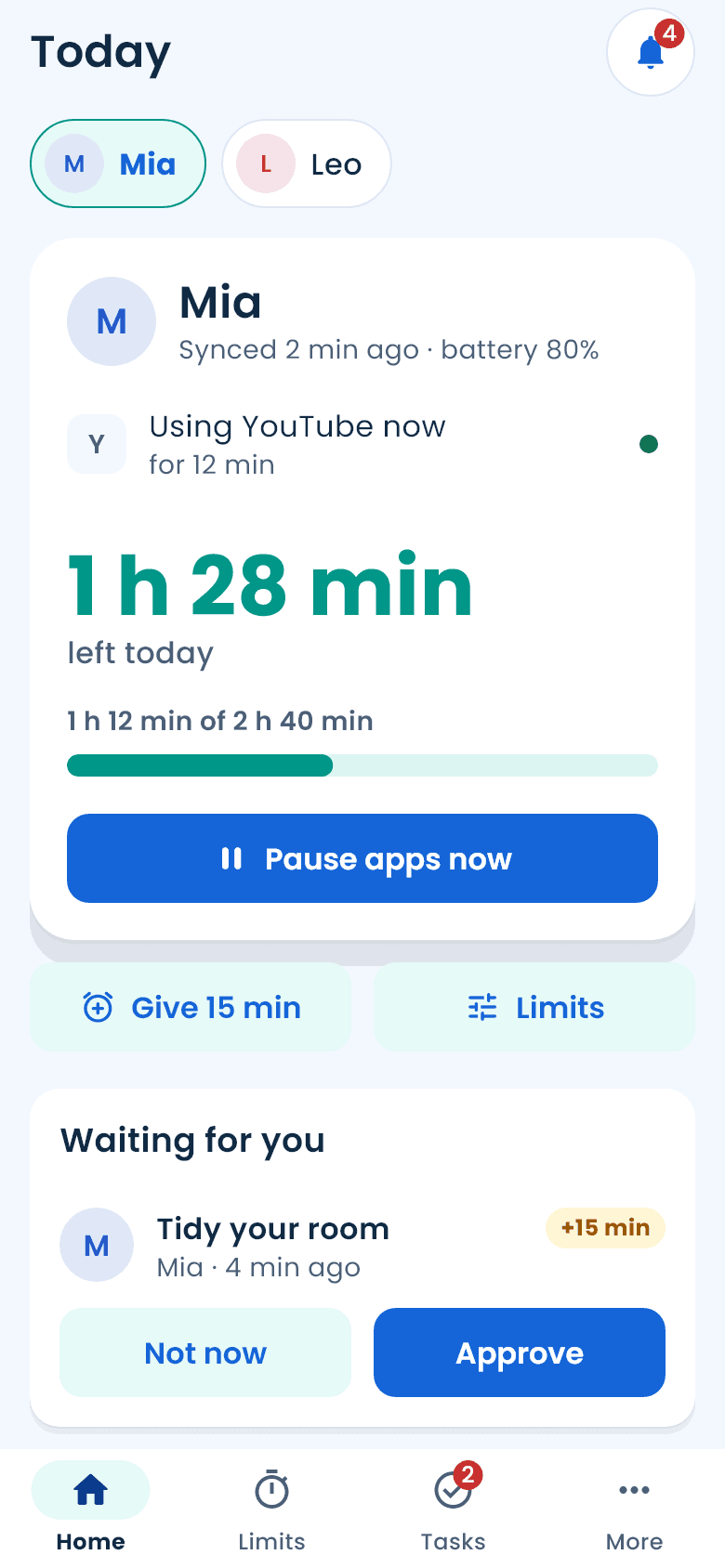
Why another one
Most parental controls fail the same two ways. A child finds the switch, turns them off in minutes, and the parent finds out days later. And when something goes wrong, there's a charge nobody expected and a support chat that goes in circles.
How it works
Add your child
Install ProtectKids, sign in with a code from your email, and type your child's first name.
Connect their phone
Install Pip by ProtectKids on it and type the 8-character code. Setup takes a few switches, explained to your child as you go.
Set the day
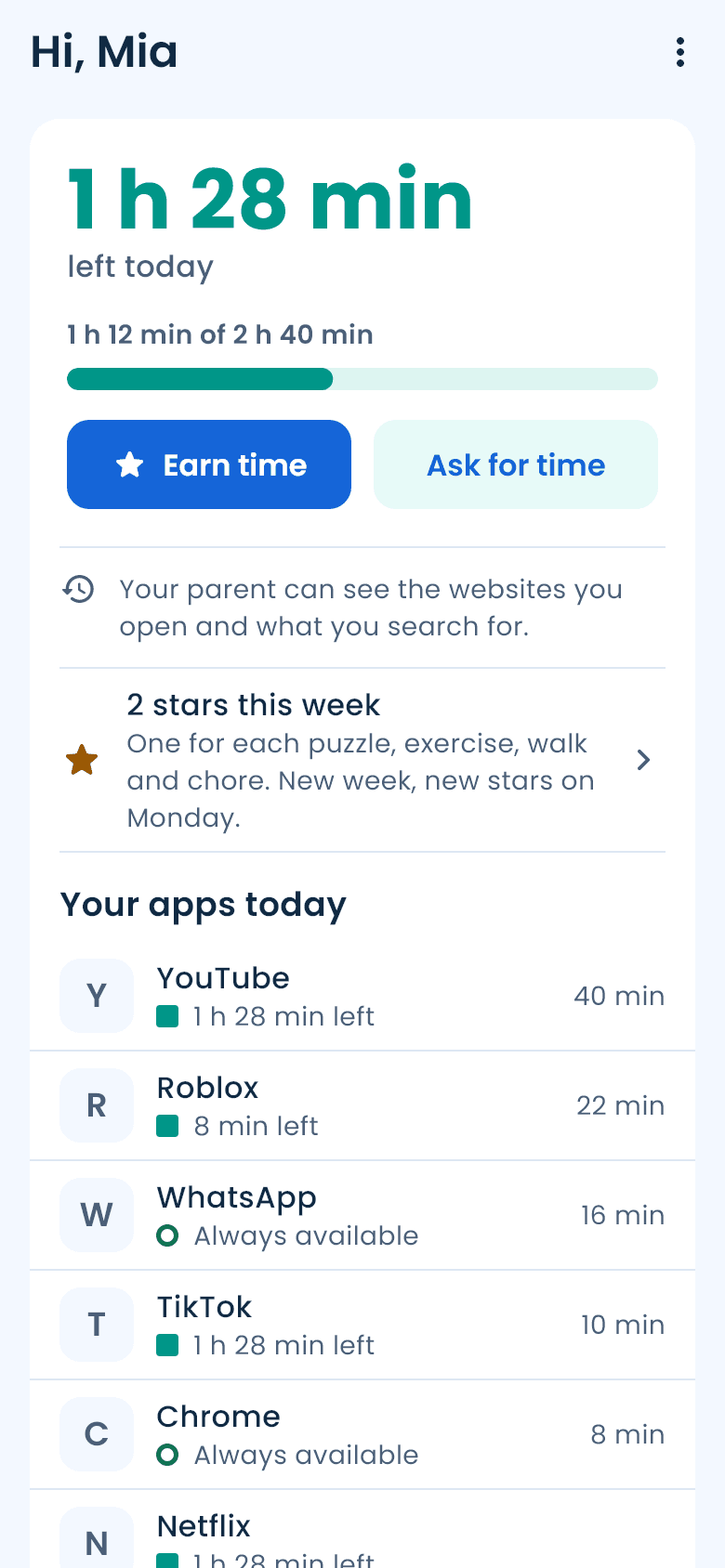
Choose a daily allowance and a bedtime. Apps pause by themselves when time is up. Your child can earn time back with puzzles and chores, or ask you for more.
What's different
It stays on
No VPN to switch off. On Android, once you set your PIN, ProtectKids can't be uninstalled without you, and the phone's Settings open only with that PIN.
You know when something's off
If a setting ProtectKids needs is switched off, your Home screen says so.
No phone left stuck
Remove a phone or a child, or delete your account, and that phone lets go the next time it checks in: no rules, no uninstall lock.
No billing surprises
You see the price before you start, we remind you 2 days before your free week ends, and cancelling is one tap in your store account.
Fair for your child
They always see why an app is paused and until when, earn time with puzzles and chores, and ask you for more.
The basics, done properly
Daily allowance, per-app limits, bedtime and school schedules (all apps or just the ones you pick), adult sites and any site you choose blocked in the browser, where their phone is if you turn location on, approvals in one tap, both parents on one plan.
Coming
- iPhone, through Apple's Screen Time (needs Apple's approval)
- The trial reminder by email as well as on your phone
- “Something's wrong” reports, answered by a person
Pricing
Free
$0
See today's time on every phone, and pause apps by hand any time. Both parents.
Family
$5.99 a month or $59.99 a year
After 7 free days. Cancel in one tap.
Everything above: limits that pause apps by themselves, schedules, per-app limits, chores and puzzles that earn time. Every child, both parents, one price.
Prices in US dollars; your store shows yours.
Questions
- Can my child switch it off?
- On Android, once you set your PIN: uninstalling needs you, and Settings opens only with that PIN. If a setting ProtectKids needs is switched off anyway, you see it on your Home screen.
- Does it work on iPhone?
- Not yet. iPhone support uses Apple's Screen Time, which needs Apple's approval for parental-control apps. Android is first.
- Do you read my child's messages or see their screen?
- No. ProtectKids sees which app is open and for how long, nothing inside it.
- What happens when the free week ends?
- We remind you 2 days before. Do nothing to keep Family, or cancel in one tap in your App Store or Google Play account.
- If I stop paying, is my child's phone locked?
- No. Without Family, nothing pauses by itself; pausing by hand still works. Remove the phone and it lets go completely.
- Can both parents use it?
- Yes. Invite the other parent from Family. One price covers both of you and every child.
- How do I delete my account?
- More, Account, Delete account. It deletes your family's data, not just the login.
Limits that hold, and a child who knows why.
ProtectKids is in beta on Android. Leave your email and we'll tell you when there's a place.